PDFs from C# components
FullBleed.DotNet 0.2.0 adds FullBleed.DotNet.UI: ordinary C# methods, named
elements, LINQ, conditional children and reusable styles. No HTML strings,
Razor compilation or application framework are needed. The authoring layer
does not start a renderer or load fonts; you supply an explicit engine.
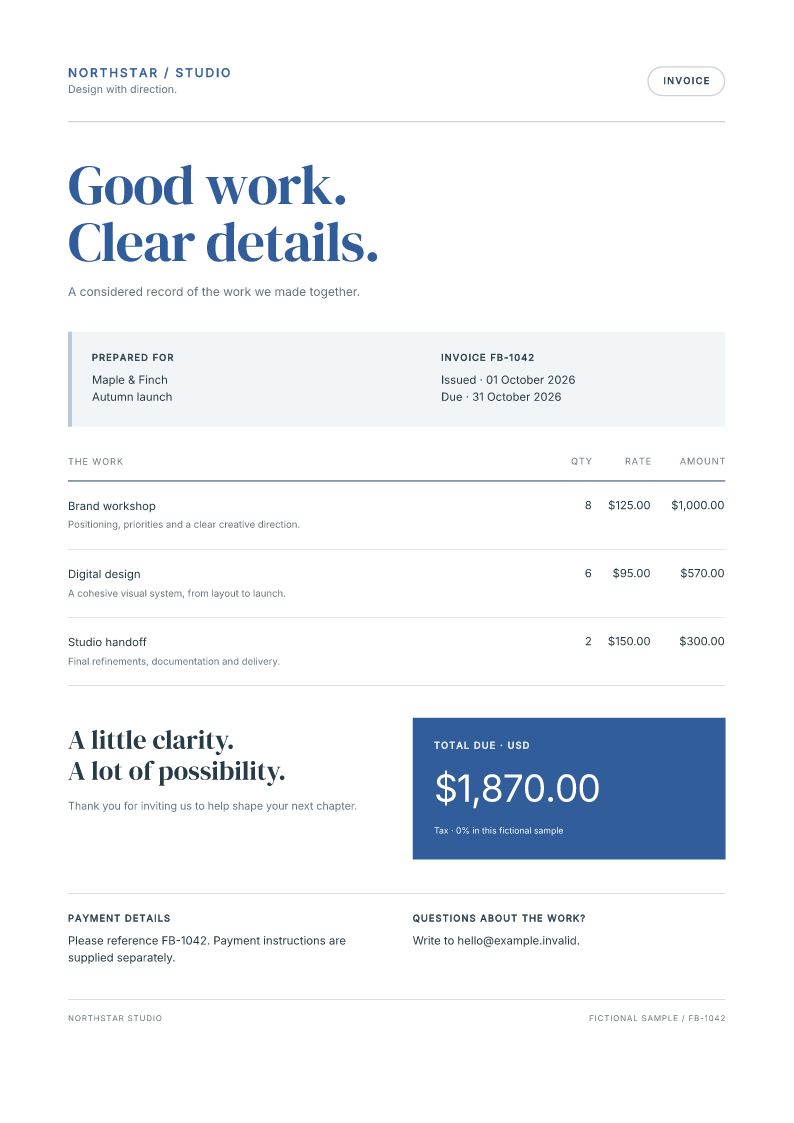
Download the complete C# project Open the component invoice
Extract the project and, with the .NET 10 SDK installed, run:
Open output/invoice.pdf and output/invoice_page1.png. Edit the typed records
in InvoiceDocument.Example, reuse Field and ItemRow, and adjust
BaseStyles. Program.cs registers both bundled fonts explicitly.
The download pins FullBleed.DotNet 0.2.0 and engine 2.5.22.
Source and file hashes accompany it.
Prefer Python components or JavaScript and JSX? Each guide explains the language's component and style API.
A component is a method
Install FullBleed.DotNet 0.2.0 in a .NET 8, 9 or 10 console application:
using FullBleed.DotNet;
using FullBleed.DotNet.UI;
using static FullBleed.DotNet.UI.Components;

static Element Line(string label, string amount) =>
    Paragraph(Strong(label), ": ", amount);

var items = new[] { (Label: "Design", Amount: "$120.00"), (Label: "Review", Amount: "$40.00") };
var styles = new StyleSheet
{
    ["@page"] = new Style { ["size"] = "A4", ["margin"] = "18mm" },
    ["body"] = new Style { ["font-family"] = "Helvetica", ["color"] = "#233c36" },
    ["h1"] = new Style { ["font-size"] = "32pt", ["letter-spacing"] = "-1pt" },
    ["p"] = new Style { ["margin"] = "0" },
};
var invoice = new Document(
    Stack(
        Heading(1, "Made for ", "Maple & Finch"),
        Fragment(items.Select(item => Line(item.Label, item.Amount)))
    ).WithStyle(new Style { ["gap"] = "12pt" })
) { Title = "Invoice", Language = "en-US", Styles = styles };

using var engine = new FullBleedEngine(new FullBleedEngineOptions
{
    DocumentLanguage = invoice.Language,
    DocumentTitle = invoice.Title,
});
invoice.RenderPdfToFile(engine, "output/invoice.pdf");
invoice.RenderImagePagesToDirectory(engine, "output/preview", dpi: 96);
Line is a normal method with typed arguments. It needs no base class,
reflection, decorator or lifecycle. The outer Document joins the component
tree to its stylesheet. Its render methods pass both to the existing native
engine. Document.Title and Language describe the exported HTML; set the
engine options explicitly for PDF metadata.
The complete invoice sample includes reusable fields, table rows, paid and unpaid variants, credits, an empty state, and flow across pages. It uses bundled, explicitly registered fonts and includes their licenses. All its content and business details are fictional.
Children, lists and data
Text is escaped. "<strong>hello</strong>" prints literally; write
Strong("hello") for emphasis. Text elements accept multiple children, so rich
text can mix strings, Strong, Emphasis, Link and LineBreak.
Use Fragment(sequence) inside mixed children; it groups nodes without adding
a wrapper element. Stack(sequence), Row(sequence), TableBody(sequence) and
List(sequence) and OrderedList(sequence) also accept LINQ results directly. Ordered sequences and arrays
are copied when the tree is constructed. Later changes to the source list do
not change the document, and rendering does not enumerate the data again.
var paid = true;
var details = Stack(
    Heading(2, "Project summary"),
    Fragment(items.Select(item => Line(item.Label, item.Amount))),
    paid ? Paragraph("Paid in full.") : null
);
null omits a child; zero remains visible. Integers, decimals and finite doubles
are formatted invariantly. Format currency, dates and booleans explicitly for
the reader. Unsupported child types, async results and nested Document values
are rejected by the C# type system. Await data before constructing the document.
These are static print components; there are no events, state hooks or live UI
updates.
Class names and styles
WithClass("notice is-paid") adds space-separated names to the returned element.
It does not create or load styles. Put the declarations in a StyleSheet, then
assign the sheet to the outer document's Styles property.
| API | Meaning |
|---|---|
element.WithClass("notice is-paid") |
Add class labels without dots; retain existing and built-in classes |
element.WithStyle(new Style { ["color"] = "#a64232" }) |
Apply inline declarations to this element |
new Document(...) { Styles = sheet } |
Attach selector rules to matching elements throughout the document |
This example prints Paid in full in blue at 18 pt:
var paymentStyles = new StyleSheet
{
    ["@page"] = new Style { ["size"] = "A5", ["margin"] = "15mm" },
    ["body"] = new Style { ["font-family"] = "Helvetica" },
    [".notice"] = new Style { ["color"] = "#245541", ["font-size"] = "18pt", ["margin"] = "0" },
    [".notice.is-paid"] = new Style { ["color"] = "#315d9b" },
};
var payment = new Document(Paragraph("Paid in full").WithClass("notice is-paid"))
{
    Styles = paymentStyles,
};
Render with payment.RenderPdf(engine) using the engine from the first example.
The designed invoice sample shows how to register an explicit font instead.
The dot belongs in the selector: .notice matches the notice class.
.notice.is-paid matches an element with both classes. .notice .notice-title
matches a descendant. The order of class names does not set style precedence.
A component method's name does not create a CSS selector. Rules are not scoped automatically to a method, class or C# file. Import shared sheets and compose them explicitly on the document; choose distinctive class names when combining designs.
Customize reusable components
A method that returns Element lets callers style that returned element with
WithClass and WithStyle. Both return a new element. The original and its
built-in classes remain available for reuse:
static Element Notice(params Node?[] children) => Card(children).WithClass("notice");

var noticeStyles = new StyleSheet(paymentStyles)
{
    [".notice"] = new Style { ["padding"] = "12pt", ["border"] = "2pt solid #245541" },
    [".notice .notice-title"] = new Style { ["font-size"] = "14pt", ["font-weight"] = "700" },
};
var styledNotice = new Document(
    Notice(Paragraph("Payment").WithClass("notice-title"), Paragraph("Paid in full"))
        .WithClass("is-paid")
        .WithStyle(new Style { ["border-color"] = "#a64232" })
) { Styles = noticeStyles };
The root retains ui-card notice is-paid. The title is 14 pt bold, and the
inline declaration changes the border to rust red. To style an interior element
instead, accept a style argument in your method and explicitly apply it to that
element. A method returning a Fragment has no root element to receive a class;
style its children or return a Box wrapper.
Stylesheets use selector specificity and then source order for ties. Inline
styles override ordinary matching stylesheet declarations; !important
changes that priority. Text properties can inherit into children. Padding and
borders apply to the selected element.
Compose styles without changing shared values
Trees, Style and StyleSheet objects are immutable after construction. Object
initializers are available for declarations and rules. With, Merge,
WithRule, WithClass and WithStyle return new values:
var shared = new Style { ["font_size"] = "10pt", ["color"] = "#233c36" };
var emphasis = shared.With("fontWeight", "700");
var label = Paragraph("Due today").WithStyle(emphasis);
var sheet = new StyleSheet(noticeStyles)
    .WithRule(".notice", new Style { ["padding"] = "16pt" });
Kebab-case, snake_case and camelCase property names normalize to CSS;
custom properties such as --Brand retain their case. Values use explicit
units: "12pt", "18mm", "50%", or unitless strings such as "0" and "700".
A repeated property moves to the end when overridden, preserving shorthand
order. The shared value stays unchanged.
Style.Parse("padding: 12pt; color: #233c36") accepts CSS declarations.
WithStyle also accepts that string form. Quoted text, data URLs, comments and
function boundaries are preserved when composing declarations. Malformed or
incomplete declaration strings fail before rendering.
For an existing CSS file or nested at-rules, use
StyleSheet.FromCss(File.ReadAllText("invoice.css")). A StyleSheet initializer
accepts declaration rules such as @page and @font-face; nested rules use
FromCss. Fullbleed evaluates its supported static print CSS, not browser
scripts or a framework's stylesheet inferred from class names.
Named building blocks
| Purpose | Components |
|---|---|
| Text | Text, Paragraph, Strong, Emphasis, Heading, LineBreak |
| Structure | Fragment, Box, Section, Header, Footer |
| Layout | Stack, Row, LayoutGrid, Inline, Center, Card, Divider |
| Tables | Table, TableCaption, TableHead, TableBody, TableRow, TableHeader, TableCell |
| Lists and media | List, OrderedList, ListItem, Image, Link |
Heading(level, ...) requires a level from 1 to 6. Image(source, alternativeText)
requires an explicit alternative, including an empty string for a decorative
image. Set table-header scope with .WithAttribute("scope", "col") or "row".
Semantic elements support structure; they do not by themselves establish PDF
accessibility or standards conformance.
The document includes small defaults for layout components and tables before
your rules. They supply no theme or fonts. Set IncludeComponentStyles = false
for complete control. Layout defaults can be overridden through an attached
sheet or .WithStyle(...).
Element.Create(tag, children) is a lower-level escape hatch for engine-supported
markup. Text stays escaped, names are checked, and void elements reject children.
WithAttribute(name, value) sets an escaped attribute; null removes it. Its
boolean overload uses presence for HTML boolean attributes and literal
true/false for ARIA and other attributes. Setting class directly replaces
the complete list; prefer WithClass when preserving built-in classes.
Rendering, batching and compiled documents
The outer document offers RenderPdf, RenderPdfToFile,
RenderPdfWithDiagnostics, RenderImagePagesToDirectory and Compile, each
using an explicit FullBleedEngine. ToRenderJob() connects component documents
to existing ordered or parallel batch rendering.
var jobs = new[] { payment, styledNotice }.Select(document => document.ToRenderJob());
var batch = engine.RenderBatch(jobs);
File.WriteAllBytes("output/batch.pdf", batch.Pdf);
Batch documents must use matching page geometry. Both documents above use A5; render differing paper sizes separately.
For a repeatedly rendered document family, compose a template with text slots
such as Paragraph("Invoice {{id}}"), then call template.Compile(engine).
The existing RenderBindings* and RenderReflowBindings* APIs accept typed
records and LINQ selectors. Use fixed bindings only when geometry is reserved;
choose reflow when content can wrap or repaginate. See the
LINQ sample for the binding API.
ToHtml() exports markup and ToCss() exports its combined styles. The HTML
alone carries no stylesheet. Direct engine calls must pass both:
engine.RenderPdf(document.ToHtml(), document.ToCss()). Component methods
already do this. Existing HTML/CSS APIs remain available and unchanged.