Design your store's order documents
Fullbleed Commerce brings the print engine into WooCommerce. Start with a designed order summary or packing slip, customize it visually or with HTML/CSS, and preview the actual PDF before saving. The free plugin runs in the store administrator's browser; it needs no Fullbleed account, quota, watermark or server renderer.
Staging preview: the plugin downloads are available for evaluation. Paid sales, update subscriptions and marketplace listings are not live.
Try a sample store Download the free preview
Make your first document
The browser demo opens a temporary WordPress Playground with WooCommerce and two fictional, unpaid orders. It does not connect a store or ask for payment. Initial setup downloads WordPress and WooCommerce and may take a minute or two.
- Select Generate PDF, then Download PDF. The first sample order is already selected.
- Select Customize selected document. Double-click a heading or adjust the typography in the visual editor. Switch to HTML / CSS to paste print styles.
- Select Preview PDF, then Save template. Generate the order again to see your changes in the saved design.
- Try Long order for a 32-item example, or select Packing slip to produce a shipment document without prices.
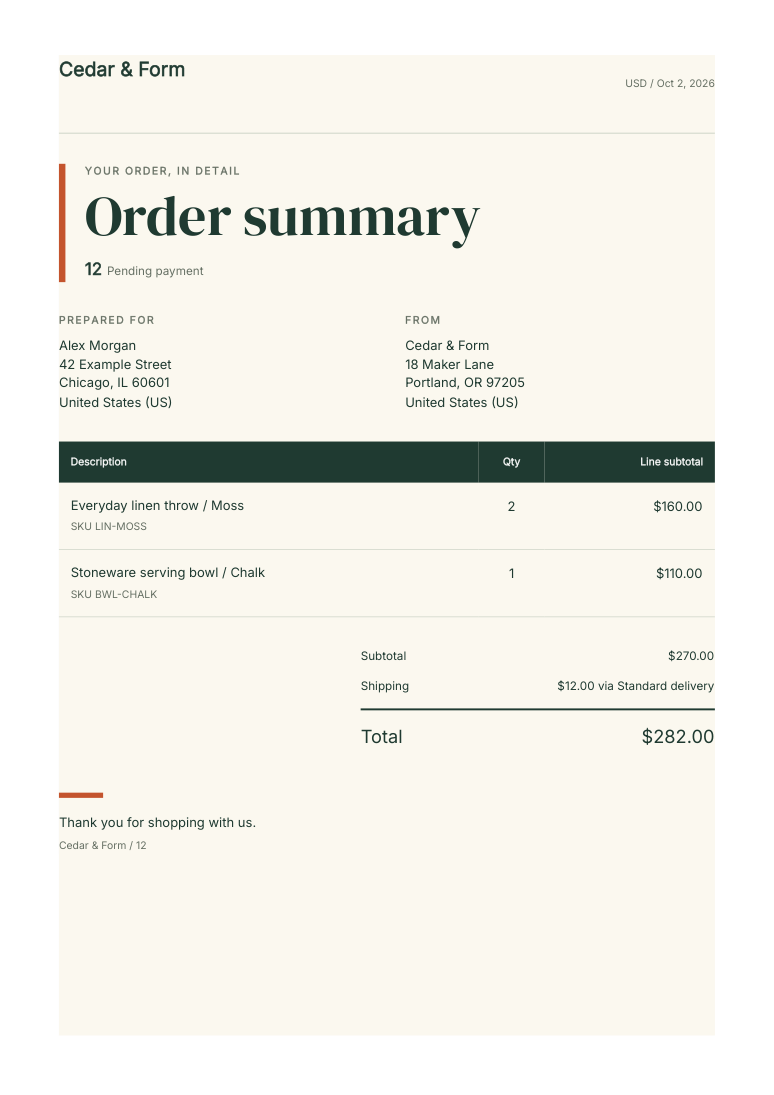
Open the sample PDF. This is a real Fullbleed document downloaded from the demo, with fictional order data.
Use Export template to keep your design as JSON. The sample store resets when you refresh the browser or close the tab. Use sample data only; outgoing mail, WordPress network requests and background jobs are disabled in this demo.
Use your own staging store
With WooCommerce active, upload the free ZIP through Plugins → Add New → Upload Plugin. Activate it, then open WooCommerce → Fullbleed documents. Enter an order ID, or follow Create Fullbleed PDF from an order edit screen.
The plugin serves its own JavaScript, fonts and WebAssembly engine. Authorized staff read order data from the store; the PDF is rendered in their browser. The free plugin sends no customer information to Fullbleed and stores no generated documents. WordPress hosting needs no Node or Python installation for this path.
Templates have separate summary and packing-slip designs. They support embedded logos, escaped order fields and repeated item rows. Read the template guide for supported fields and print CSS.
Automate the recurring work
The separate Pro add-on implements opt-in attachments to existing WooCommerce transactional emails and order-summary downloads in the customer's account. Both reuse the saved template and require an optional private server renderer, so they can run without a staff browser open.
| Workflow | Implemented behavior |
|---|---|
| Processing or completed order email | Attach a generated summary to selected existing messages. If rendering fails, preserve the original email and show a staff-visible error. Recovery uses an explicit merchant resend. |
| Customer account | Let the signed-in owner download a current summary for an eligible order. Recheck ownership, order state and renderer availability on each request. |
| Staff batch | Download up to 25 selected orders as a ZIP with the Pro add-on. |
The automation guide covers the renderer, configuration and data flow. These features are not enabled in the browser demo. They remain development integrations while purchase, update delivery, production operation and merchant-pilot checks are completed.
For Shopify, the companion app provides native Flow actions that prepare expiring document links and expose activity, retries, pause and revocation. See the tested order-arrival recipe. It is a development-store integration, not a published App Store listing.
Scope and evidence
Order summaries are not fiscal invoices. The preview rejects refunded orders and unsupported glyphs, preserves the platform's amounts and does not recalculate tax. Validate your own order shapes and language coverage on staging.
The release includes checksums, readable source and license notices. WordPress plugin code is GPL-compatible; Fullbleed core remains MIT. The verification record separates observed browser, HPOS, legacy-storage and automation results from the remaining paid-launch requirements.