Generate PDF downloads in Next.js
Add a PDF download to an App Router application using Fullbleed's Node package. This starter serves a designed invoice from static HTML/CSS on your Node.js server. The engine and fonts are included; no Python, browser renderer or external PDF service is needed.
Download the Next.js starter Open the sample PDF
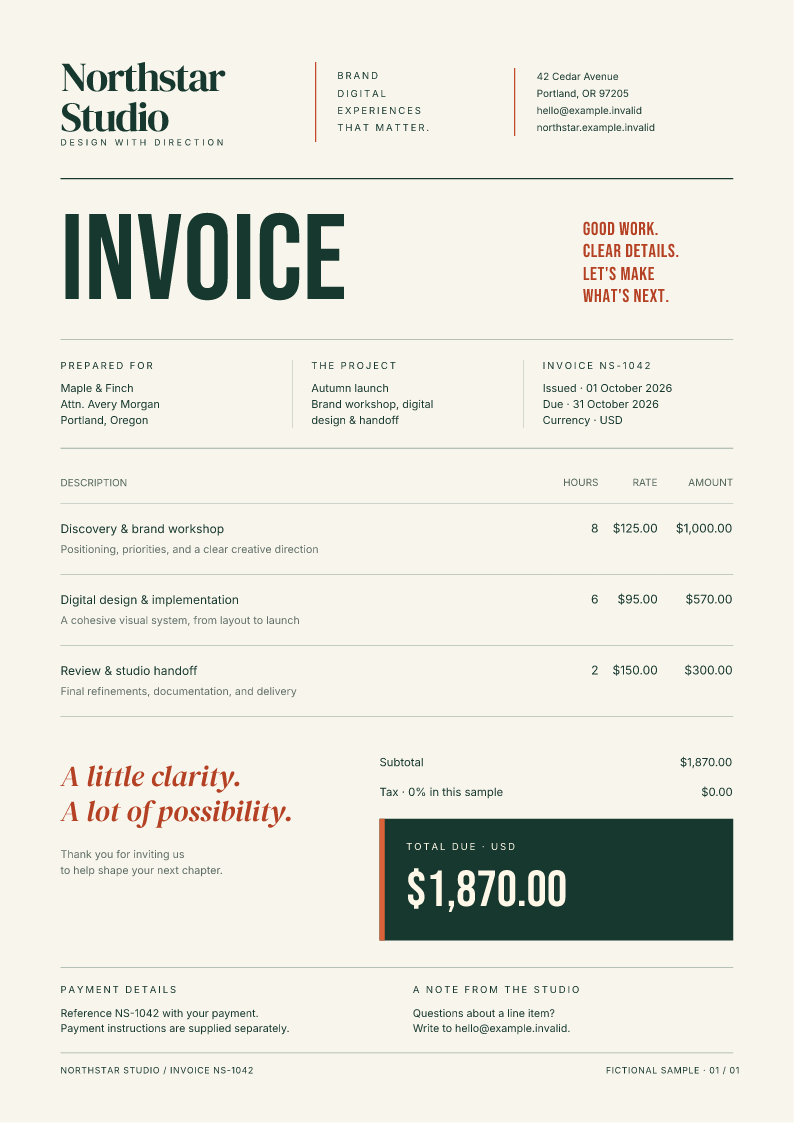
The invoice is a fictional Northstar Studio sample. The project is a runnable integration example, not an authenticated billing application. The source record and download hashes identify the exact project included in the ZIP.
Run the complete starter
Use Node.js 22 or newer. Extract the ZIP, open its fullbleed-nextjs directory,
and run:
Open http://127.0.0.1:3000 and select Download sample PDF. The route
/api/invoices/NS-1042 returns the invoice as an attachment. The browser stays
on the starter page. Use npm run dev while editing the app.
The lockfile pins Next.js 16.3.8, React 19.3.0 and Fullbleed Node 0.1.1, powered by engine 2.5.5. Fullbleed is installed from npm. The registry tarball is byte-identical to the verified GitHub release. For an existing Node application, start with the Node.js quickstart.
Keep Fullbleed on the Node server
The route declares runtime = 'nodejs'. Fullbleed uses worker threads and an
in-memory WebAssembly engine, and reads bundled assets from its installed
package. The app keeps it outside Next's server bundling and explicitly includes
those files in the standalone output:
// next.config.mjs — the project also sets its tracing/build root.
export default {
  output: 'standalone',
  serverExternalPackages: ['fullbleed'],
  outputFileTracingIncludes: {
    '/api/invoices/*': [
      './templates/**/*',
      './node_modules/fullbleed/**/*',
      './node_modules/@bjorn3/browser_wasi_shim/**/*',
    ],
  },
};
Next.js documents external server packages
and standalone file tracing.
The starter's build also copies public and .next/static into
.next/standalone, because Next's standalone output does not include those
browser assets automatically.
The PDF engine is imported only by the server route. The browser receives the page, a static PNG preview and the requested PDF; it does not load Fullbleed's worker or WASM. This integration needs a Node server, not an Edge runtime or a static site export.
Return a private PDF response
The complete route
looks up the fictional invoice, loads its template, then calls renderPdf with
a five-page cap, a 15-second deadline and the request's abort signal.
| Result | HTTP behavior |
|---|---|
| Invoice rendered | 200 application/pdf, attachment filename, full content length, private, no-store and nosniff |
| Unknown fixture ID | 404 with a small JSON error |
| Another render is active | 503 BUSY with Retry-After: 2; no waiting queue |
| Renderer rejects the document | Generic 500 error; no partial PDF or document input in the response |
| Render deadline expires | 504 error |
One render is allowed per server process. Use shared rate and usage controls across replicas, and measure memory before raising concurrency. A worker can grow to the Node package's 512 MiB WASM ceiling. Hosting-provider limits and serverless deployments require their own validation.
Use your design and authorized data
Edit templates/invoice.html and templates/invoice.css. The sample uses the
bundled Inter, DM Serif Display and Bebas Neue fonts. Regenerate the actual
PDF and preview after a layout change:
Inspect output/invoice.pdf and public/invoice.png, then rebuild the app.
See the Node API guide for custom fonts and images.
Replace the fictional getDemoInvoice(id) lookup with your application's
session authentication and account-scoped invoice query before using real
records. Verify ownership before rendering, keep data escaped, and keep the
private response headers. Do not turn the route into an arbitrary HTML or
remote-asset rendering endpoint. The sample's dates and amounts are fixture
content; it does not implement invoice numbering, tax calculation or billing.
Check the deployment artifact
After building, run npm run verify. It copies the standalone app into a fresh
temporary directory outside the source project, starts it on loopback, and
checks real HTTP PDFs against direct engine output. It also exercises unknown
IDs, a concurrent burst, missing-glyph and page-limit failures, and recovery.
The server closes when the checks finish; reports and a PDF remain in output.
The retained verification records 15 passing standalone checks on Linux with Node 22/24 and Windows with Node 24. All three runs produced the same sample PDF and PNG bytes. Local Chrome checks also cover the real download, keyboard activation and a narrow viewport. Documentation CI installs and exercises the actual downloadable ZIP before publishing the guide.
These checks use the released Fullbleed tarball and fictional data. They do not establish your application's authorization, production hosting, or PDF standards compliance.