Generate PDF invoices from Python data
Start by editing a layout, or connect a renderer to your application's data.
Try an invoice in your browser Download the Python web starter
In the playground, change the sample customer name in the HTML editor, select Render PDF, and download the result. It needs no account or installation. On a phone, select Edit source first. Under Files and projects, choose Python or Node.js, then Download project to save the edited HTML/CSS, fonts, and a renderer so you can continue locally.
The playground's sample amounts are static text. For calculated totals and a PDF response from your application, follow the Python starter's FastAPI, Flask, or Django setup. That download includes the source, templates, fonts, and fictional records.
To change Python data in a notebook, try the invoice notebook in Colab or local Jupyter. For JSON and CSV input, use the examples below.
For a bilingual layout, download the Arabic and English invoice with its fonts included, or the Chinese and English example.
A compact JSON invoice
The agent-workflow invoice loads JSON, escapes text, builds an HTML table, embeds Inter, writes a PDF, and checks that the invoice ID, customer, and total survived rendering.
Open the PDF · View its HTML · View its CSS
To run the complete example suite:
git clone https://github.com/fullbleed-engine/fullbleed-official.git
cd fullbleed-official
python -m pip install fullbleed
python examples/agent_workflows/run_examples.py --out output/examples --json
The invoice is written to output/examples/invoice/document.pdf. Change the sample data in examples/agent_workflows/data/invoice.json and rerun.
A styled CSV invoice
The Acme invoice project separates the header, body, footer, CSS, and CSV input. Its application code calculates line amounts and totals using Python Decimal.
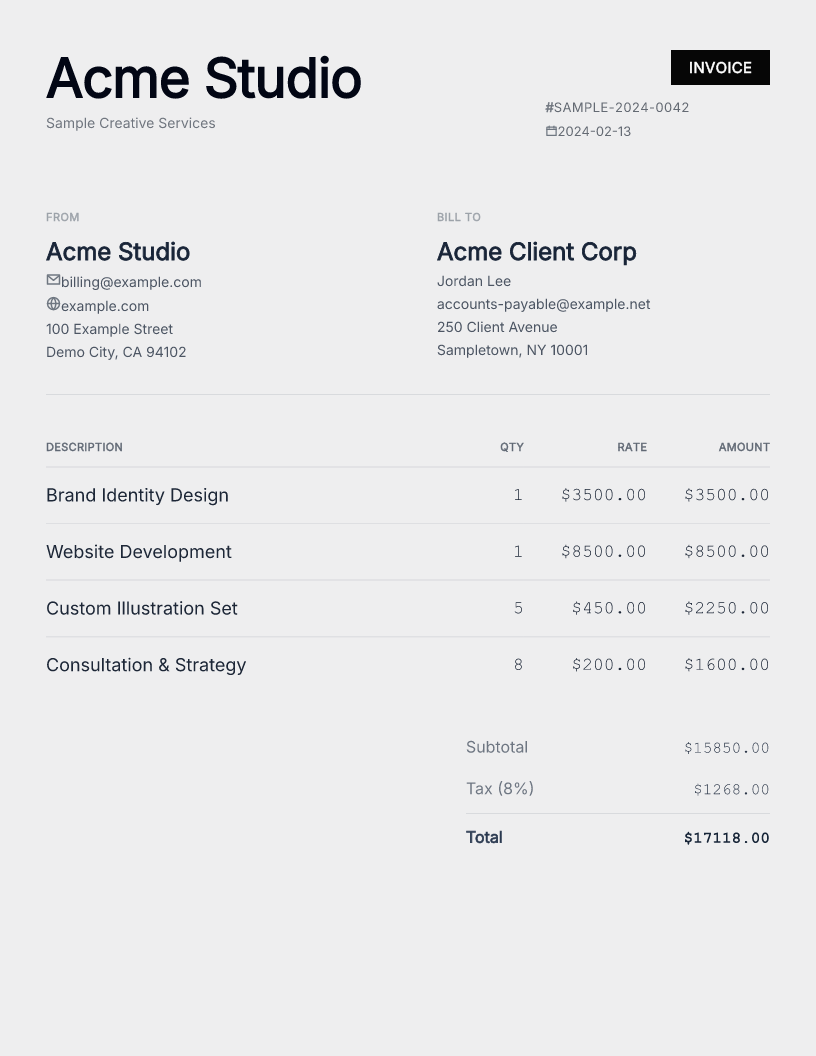
Download the PDF · Read the data contract
From the repository checkout:
Open output/acme_sample_invoice.pdf. Edit data/invoice.csv, then inspect the regenerated PNG and component diagnostics before delivery.
Scale to multiple invoices
Use ordinary rendering when document structure changes substantially. Use compiled bindings when you have a family of documents with repeatable structure. Choose the reflow API if text or table length can change pagination.
Ask about your invoice
Ask a usage question in Q&A with your data source, language or framework, and the change you are trying to make. Include a small fictional example and the expected result. For a rendering error, open a bug report with the package version and platform.