Generate PDFs from Rust
Use the fullbleed crate directly in a
Rust application. The engine renders static HTML and CSS into print documents;
you do not need Python or a browser to render them.
Create your first PDF
With Rust 1.85 or newer and a working native Rust toolchain:
Replace src/main.rs with:
use fullbleed::FullBleed;

fn main() -> Result<(), Box<dyn std::error::Error>> {
    let html = "<h1>Invoice INV-1042</h1><p>Consulting: USD 1,200.00</p>";
    let css = "@page { size: A4; margin: 20mm; } h1 { color: #175c52; }";
    let engine = FullBleed::builder().build()?;
    let pdf = engine.render_to_buffer(html, css)?;
    std::fs::write("invoice.pdf", pdf)?;
    Ok(())
}
Run it:
Open invoice.pdf in the project directory. render_to_buffer returns PDF
bytes, which you can also return from an HTTP handler or write to your own
storage. For a file directly, use
engine.render_to_file(html, css, "invoice.pdf")?.
This first example uses standard PDF fonts. For explicit typography and broader character coverage, register the font files your document uses. The Python wheel's bundled fonts are not included in the Rust crate.
Render a designed invoice or report
The runnable example includes font registration, missing-glyph checking, and PNG previews. It uses the same source and fonts as the editable browser playground.
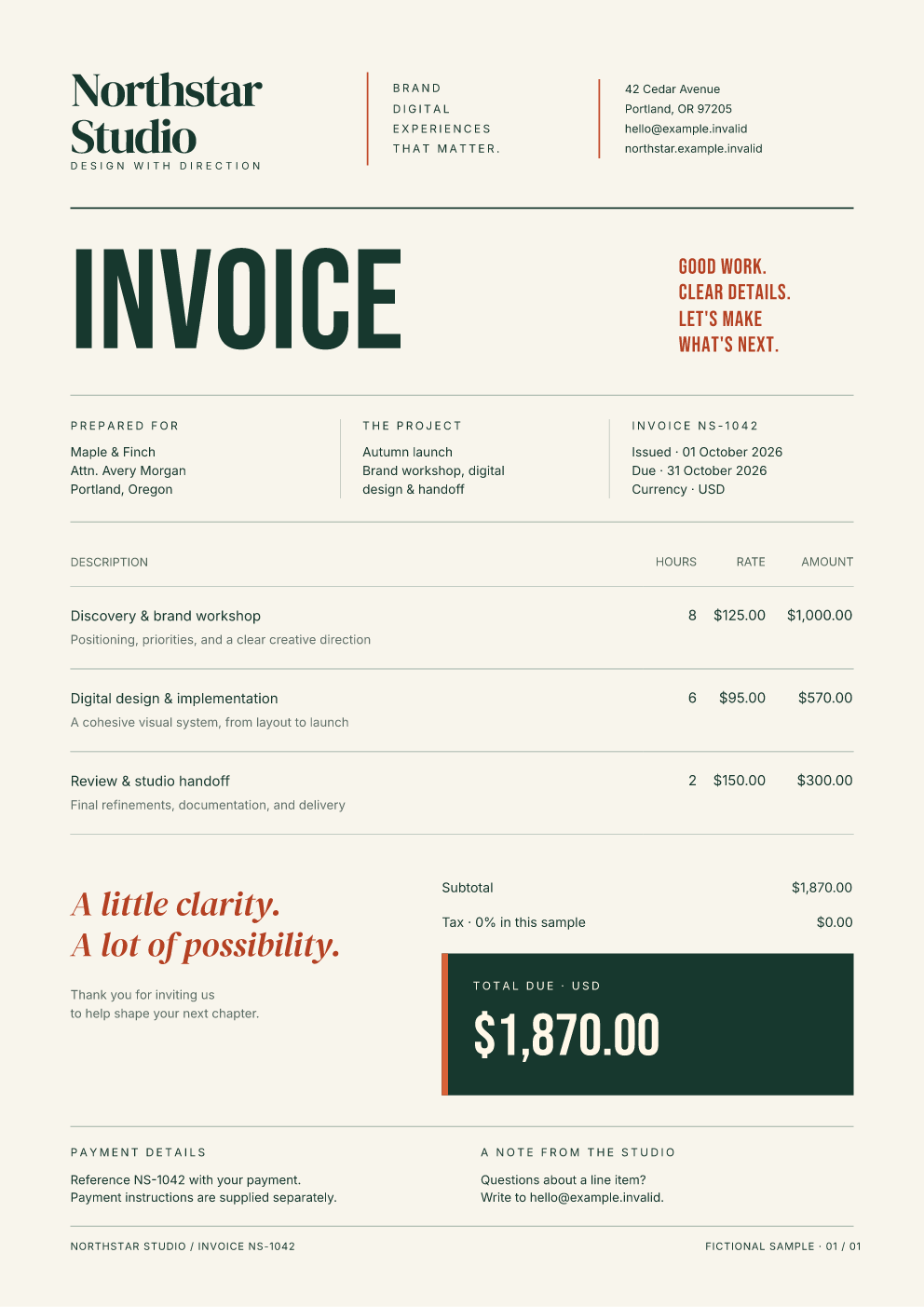
Clone the documentation repository and run the example from its root:
git clone https://github.com/fullbleed-engine/docs.git fullbleed-docs
cd fullbleed-docs
cargo run --release --locked --manifest-path examples/rust/Cargo.toml --bin from-files -- docs/assets/showcase/invoice.html docs/assets/showcase/invoice.css docs/assets/playground/fonts output/rust-invoice
Open output/rust-invoice/document.pdf or page-1.png in the same directory.
Replace both invoice input filenames with report or notice for the
other designs, and choose a new output directory. The report produces three
pages. These examples pin Fullbleed 2.5.0 and include a Cargo lockfile.
You can also use Save HTML, Save CSS, and Download the bundled fonts
in the playground. Extract the fonts ZIP, then pass your saved HTML, CSS,
fonts directory, and a fresh output directory to from-files.
Register fonts and create previews
Font registration is explicit. For example, with the downloaded fonts
directory beside your application:
let engine = FullBleed::builder()
    .register_font_file("fonts/Inter-Variable.ttf")
    .build()?;
let css = "body { font-family: 'Inter'; font-size: 11pt; }";
let (pdf, glyphs) = engine.render_with_glyph_report(html, css)?;
if !glyphs.missing().is_empty() {
    return Err("A character is not covered by the supplied fonts.".into());
}
std::fs::write("invoice.pdf", pdf)?;
Keep font license notices with redistributed assets. Register the additional families and styles used by your CSS; the designed example registers all four playground font files.
For one PNG per page, render the same source at your chosen DPI:
for (index, png) in engine.render_image_pages(html, css, 96)?.iter().enumerate() {
    std::fs::write(format!("page-{}.png", index + 1), png)?;
}
The PDF and PNG calls are separate render operations. To preview an existing
Fullbleed PDF file, use
engine.render_finalized_pdf_image_pages("invoice.pdf", 96)?.
Keep building
Use the published Rust API reference
for FullBleed, its builder, compiled templates, and document types. Check
CSS coverage before adapting a web layout, and inspect
your actual output when changing fonts or content. These examples use trusted
local inputs; file and HTML handling should follow your application's trust
boundary.
Runnable Rust source · More document designs · Python quickstart · Ask a usage question