Numbered reports with print CSS
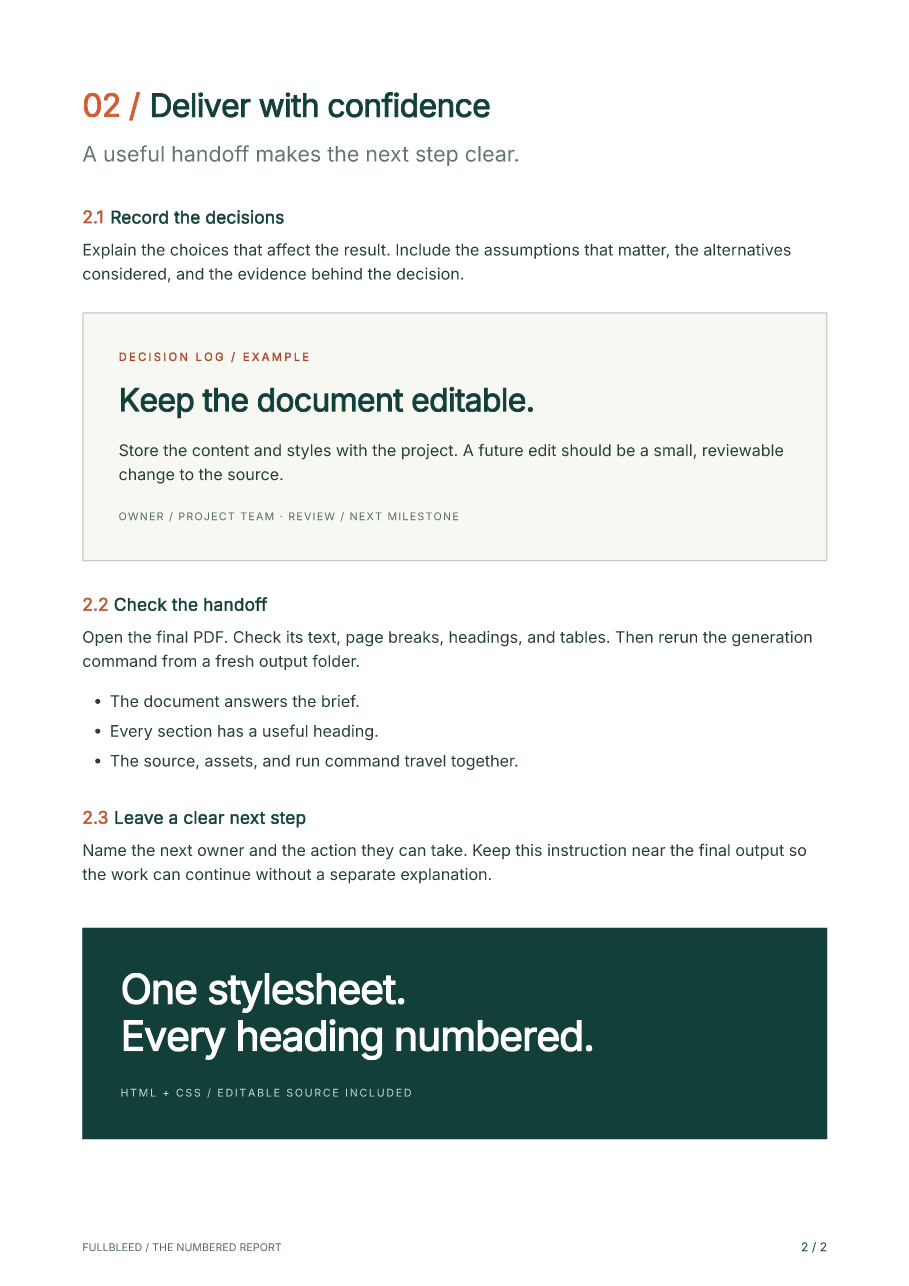
Keep chapter and section numbers in the stylesheet. When you add a section or reorder a chapter, CSS counters assign its number during PDF generation. This two-page project outline pairs automatic numbering with large Inter headings, a warm cover panel, a deliverables table, and restrained green and orange accents.
Open the PDF Get the editable project
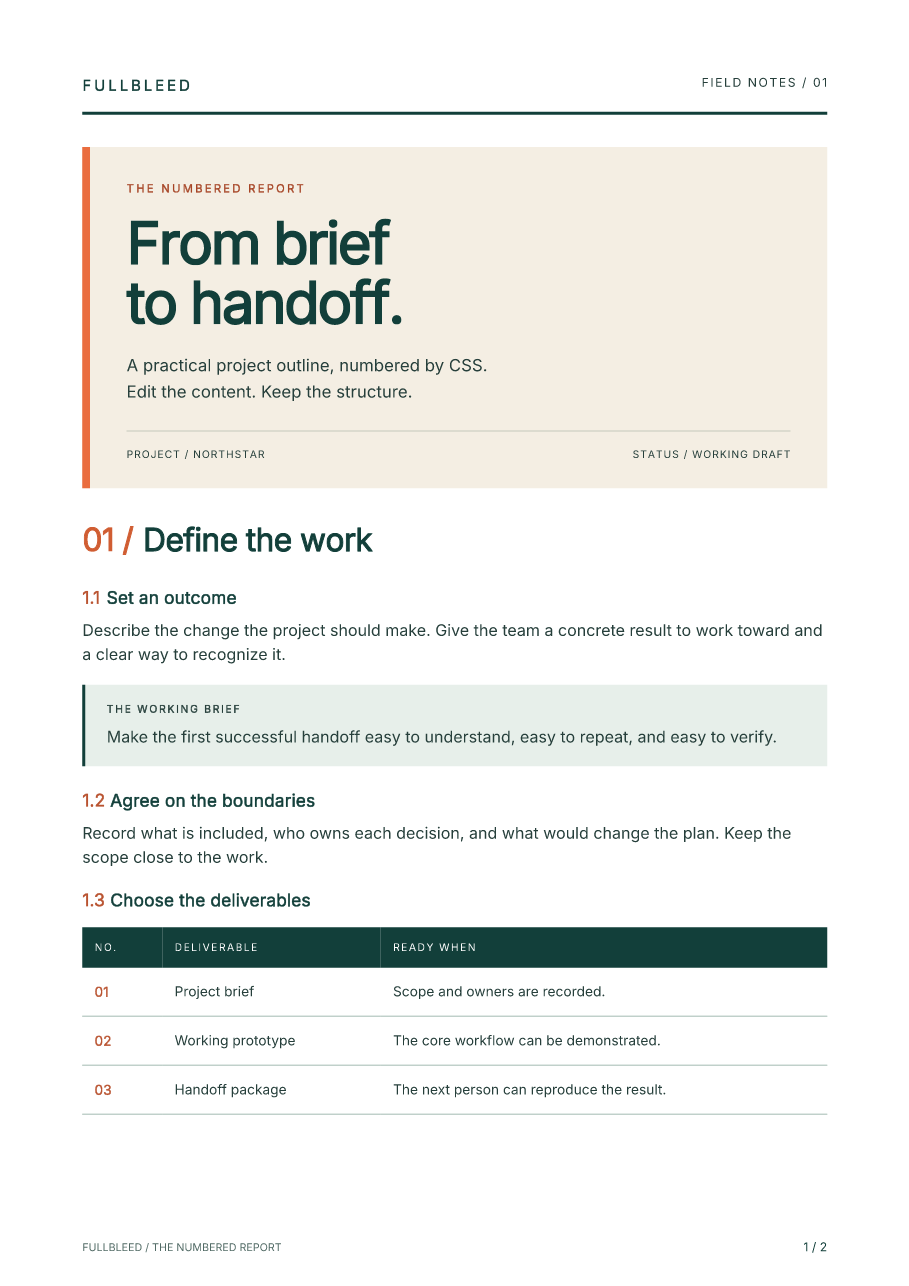
The fictional report uses Fullbleed 2.5.18 and the Inter font bundled with that wheel. These previews come from its saved PDF. View page 2.
Run and edit
Extract the ZIP, open fullbleed-numbered-report, and use Python 3.10 or newer
in a virtual environment:
Open output/numbered-report.pdf. The directory also contains finalized PDF
previews, a glyph report, and render.json with input/font hashes and a repeated
render check. The script requires a fresh output folder.
Edit report.html for the content and report.css for the design. Change the
palette, type sizes, page margins, or the table's columns. Run again with
python render.py --out output-edited. The font is registered explicitly from
the installed wheel; rendering needs no browser or font download.
Chapters and sections
The headings are siblings inside main. A chapter increments one counter and
resets another; subsequent section headings inherit that reset:
<main>
  <h2 class="chapter">Define the work</h2>
  <h3 class="section">Set an outcome</h3>
  <h3 class="section">Agree on the boundaries</h3>
  <h2 class="chapter">Deliver with confidence</h2>
  <h3 class="section">Record the decisions</h3>
</main>
main { counter-reset: chapter; }
.chapter { counter-increment: chapter; counter-reset: section; }
.section { counter-increment: section; }
.chapter::before { content: counter(chapter, decimal-leading-zero) " / "; }
.section::before { content: counter(chapter) "." counter(section) "  "; }
The section labels become 1.1, 1.2, then 2.1. Keep this sibling structure
when editing the sample: wrapping headings in additional containers changes
counter scope. The second chapter's .next-page class forces a page break;
the numbers continue from the document structure.
Table rows and page footers
The first page's table resets a separate counter on tbody, increments it on
each row, and prints it in an empty first cell:
.deliverables tbody { counter-reset: deliverable; }
.deliverables tbody tr { counter-increment: deliverable; }
.deliverables td.number::before {
  content: counter(deliverable, decimal-leading-zero);
}
Page numbers use page-margin boxes. They reflect final pagination, including additional pages caused by longer content:
@page {
  size: A4;
  margin: 17mm 19mm 18mm;
  @bottom-right {
    content: counter(page) " / " counter(pages);
    font-family: Inter;
    font-size: 8pt;
  }
}
Set the margin-box font with explicit font-family and font-size
declarations, as the starter does for both footers.
Check the result
Review both PDF previews after changes. The starter stops before writing a PDF if the registered font lacks a required glyph. Its repeat check compares bytes within the same installed runtime; it does not promise identical PDF bytes across engine versions.
The download is checked with independent PDF readers for section numbers,
table labels, embedded fonts, and page bounds. Its editing check inserts a
section and verifies that the next chapter still begins at 2.1. These checks
cover this report and the supplied counter patterns, rather than complete CSS
counter or PDF standards conformance.
Read the verification record for the package version, PDF hashes, and scoped checks.
For data-driven documents, see invoices and variable-data documents. For a Markdown content workflow, start with the Markdown brief.