Catch PDF changes in pull requests
Keep a reviewed PDF alongside your template, then check each new render against it. A change to the inputs or PDF bytes fails the check and leaves the current PDF and page previews available for review.
This starter uses the Northstar invoice from the playground, with local fonts and Fullbleed 2.5.3. The business and invoice data are fictional. It includes the HTML/CSS, both baseline files, a Python runner, and a GitHub Actions workflow.
Download the complete project View the baseline PDF
Run the check locally
Extract the ZIP. In a Python 3.10 or newer virtual environment, run these commands
from the extracted fullbleed-pdf-regression directory:
The unchanged example passes. The runner compares the input fingerprint and PDF
SHA-256 with baseline.json; baseline.pdf is the document you review visually.
It also rejects missing glyphs and an engine version different from the pin.
| File | Purpose |
|---|---|
baseline.pdf and baseline.json |
Committed, reviewed document and reproducibility record |
output/invoice.pdf |
Current render, including a render that fails the comparison |
output/preview/invoice_page1.png |
Current page preview |
output/render.json |
Structured result and failure codes |
output/candidate.json |
Current reproducibility record, separate from the baseline |
Make a change and review it
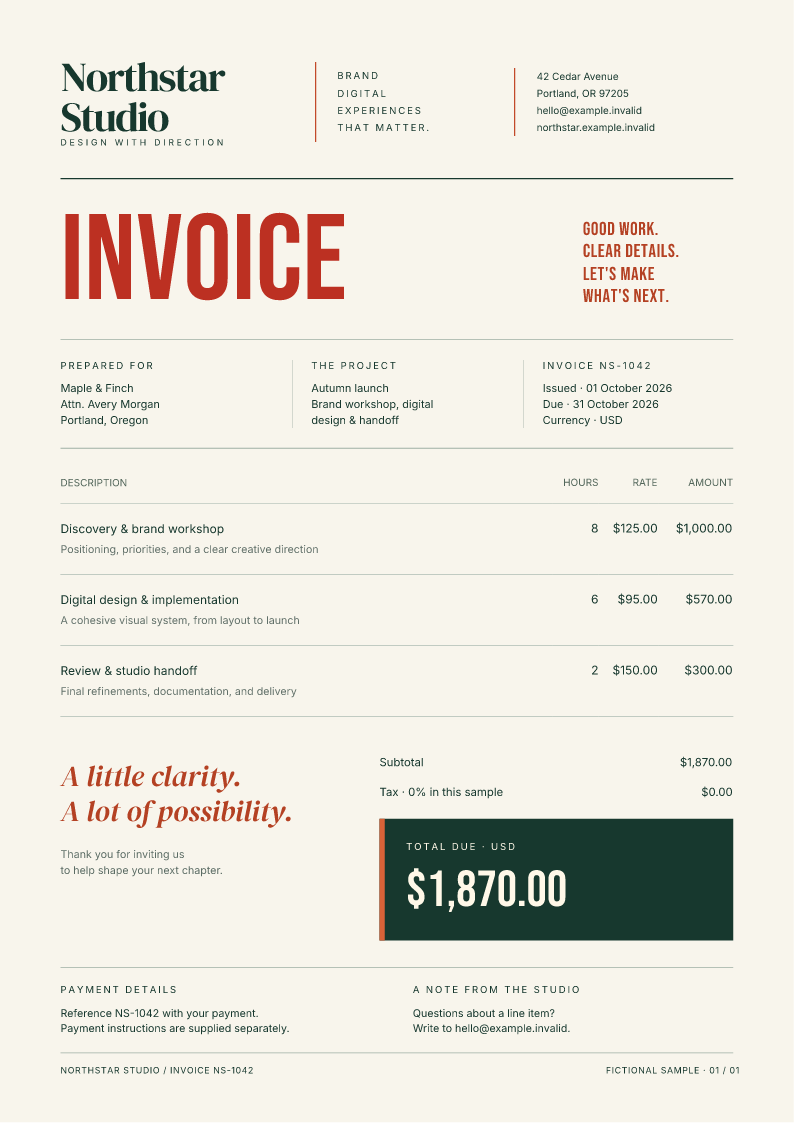
Append this rule to style.css, then run python check.py again:
The command exits with status 1 and reports REPRO_INPUT_DRIFT and
REPRO_HASH_MISMATCH. Both baseline files stay unchanged. These previews come
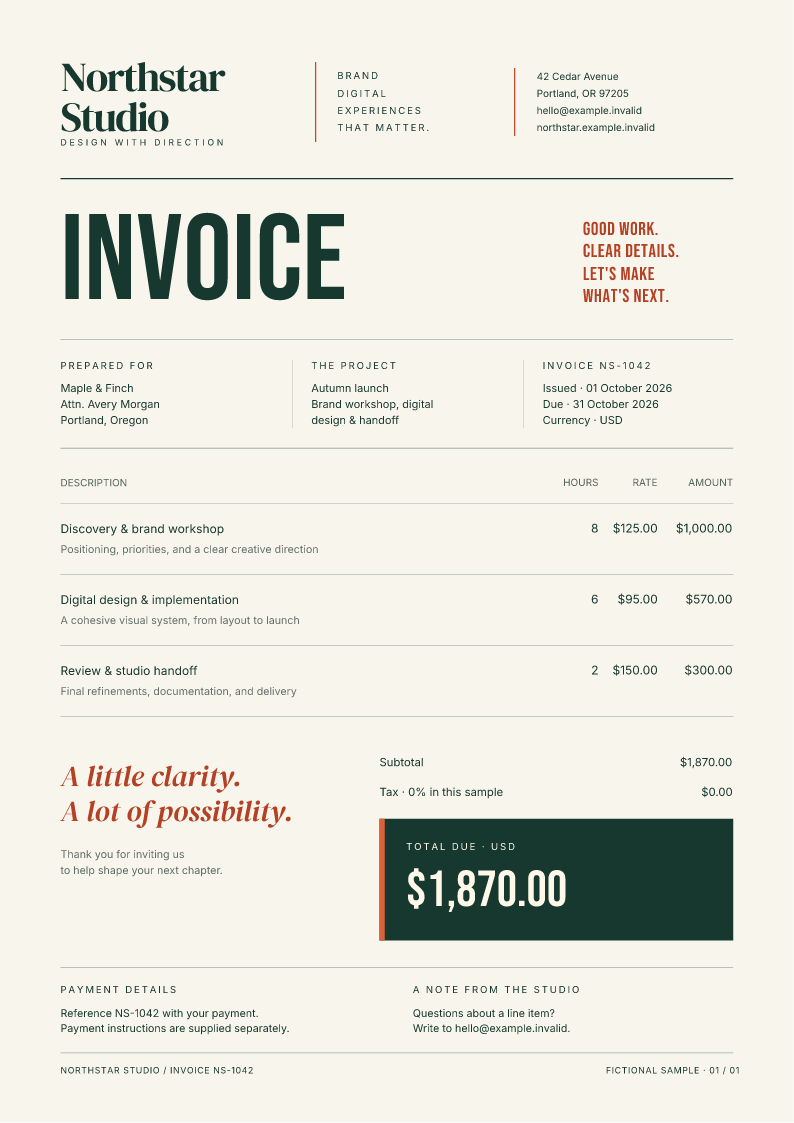
from the actual baseline and changed PDFs:
-
Reviewed baseline
-
Changed heading
Inspect both PDFs and every current page preview. If the change is intentional, record it and run the check once more:
record renders again and updates both baseline files only after that render
passes. Commit the template changes, baseline.json, and baseline.pdf
together. The CI workflow only checks; accepting a new baseline is a separate
review decision.
Run it in GitHub Actions
Copy the entire extracted project, including its hidden .github directory,
.gitignore, and .gitattributes, into a new repository's root. Push it to
GitHub. The included workflow runs on pull requests and pushes to main or
master, installs the pinned wheel, then runs python check.py.
It uploads a pdf-review artifact even when the comparison fails. Download
that artifact from the workflow run to inspect the baseline, current PDF, PNG
previews, and JSON results. Artifacts are retained for seven days.
For an existing application, adjust the workflow's working directory and
dependency installation to your document project. Add its status check to your
branch rules if a failed comparison should prevent merging. Keep record out
of the CI check so a changed document cannot approve its own output.
Keep the fixture predictable
Use fixed test data, local fonts, explicit assets, and a pinned engine version.
The included .gitattributes preserves the source line endings used by this
baseline. Relative asset paths let the project move between checkout locations.
Review engine upgrades and intentional data changes alongside template edits.
The comparison checks exact input fingerprints and PDF bytes. Even a comment or whitespace edit can fail the input check without changing the visible PDF. It does not assess whether the layout is good, compare images perceptually, or validate accessibility or PDF standards. The baseline needs human review.
The starter's verifier exercises an unchanged relocated project, a visible CSS change, an intentional baseline update, a subsequent pass, a malformed baseline, and recovery. The retained Linux and Windows runs produce matching PDF and PNG bytes for those six cases. Run it without changing your source baseline:
Browse the pinned source · Read the verification record · Check the download hashes
Use watch mode for quick feedback while editing, then run this one-shot check for review. The CLI reference describes the underlying render and reproducibility options.