Your design, on every page
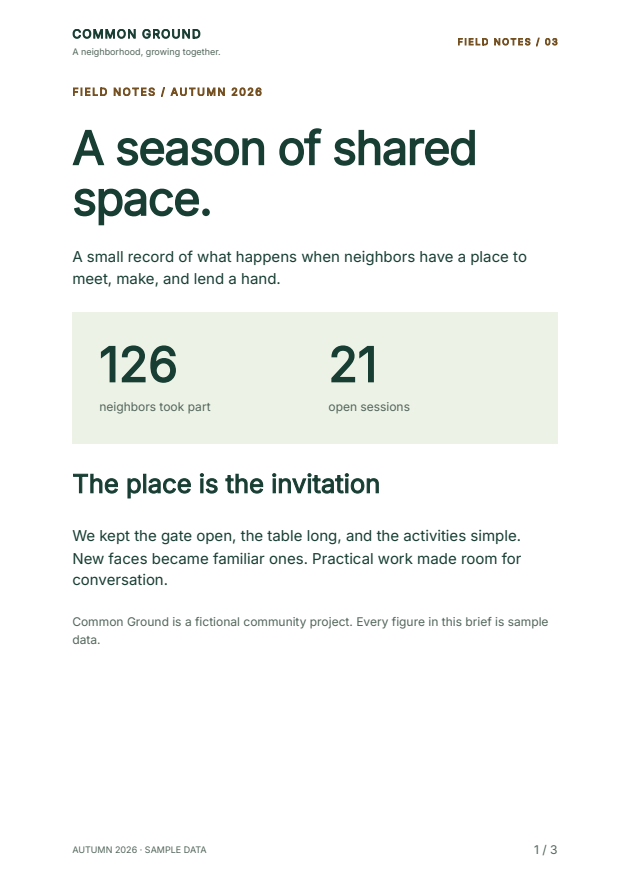
Change the name, headline, colors and activity rows in a complete Python report. The header repeats, the table continues across pages, and the footer uses the final page total. The notebook includes all the component source, with no authored HTML strings.
Open in Colab Download the notebook View the pinned source
Opt-in component preview: 2.6.0a9
The first cell installs fullbleed==2.6.0a9. Its API under
fullbleed.ui.experimental remains experimental. The
page-band guide includes the source ZIP,
API details, verification scope and current limits.
Run in Colab
- Open the notebook, sign in if prompted, and use a standard CPU runtime.
- Choose Runtime > Run all. Review all three default page previews.
- Edit
PROJECT_NAME,HEADLINE,ACCENTorACTIVITYin step 2. - Rerun from that cell through the download cell and save the resulting ZIP.
The ZIP contains the current PDF, styled HTML, unstyled HTML and every current page preview. Download it before leaving the hosted session. This example needs no GPU. Colab's own availability and usage limits apply.
Run in local Jupyter
Download the notebook and open a terminal in its folder. These instructions use Python 3.11 or later and Jupyter Notebook 7.6.3.
Windows (PowerShell):
py -m venv .venv
.\.venv\Scripts\python.exe -m pip install "notebook==7.6.3"
.\.venv\Scripts\python.exe -m notebook component_page_bands.ipynb
macOS or Linux:
python3 -m venv .venv
.venv/bin/python -m pip install "notebook==7.6.3"
.venv/bin/python -m notebook component_page_bands.ipynb
Wait for the Python kernel to connect, then choose Run > Run All Cells. Review the page previews and click output/component-field-notes.zip in step 7. After an edit, rerun from that cell through the download cell.
See how the styles connect
| What to change | Where to change it |
|---|---|
| Name, headline and activity rows | The values in step 2 |
| Shared colors and inherited text | ACCENT and Theme(...) |
| Reusable typography | styled(...) definitions |
| Table caption, header and cells | DataTable(...).with_parts(...) |
| Page counter appearance | class_name="folio" and the matching .folio rule in Document(styles=...) |
| Repeated brand and page counts | PageBand(...) and PageNumbers(total=True) |
| A short callout that should stay together | style(break_inside="avoid", ...) on its Box |
The PDF renderer registers the bundled Inter font explicitly. Styled HTML keeps
its font-family declaration; the browser host supplies Inter or a fallback.
Unstyled HTML preserves content and classes for the host's CSS. Both HTML exports
use one header/main/footer sequence and explicit [page] / [pages]
placeholders. They do not add JavaScript or paginate the browser.
To try the longer report, replace the activity rows in step 2 with:
The checked long example has eight pages. Set ACTIVITY = [] and rerun to see
the empty table and a three-page result. Old previews from a longer run stay out
of the new ZIP.
What has been checked
The execution record covers the default report, edited text and colors, 72 activity rows, and an empty table after the long run: 3, 3, 8 and 3 pages. Independent PDF readers check text, character bounds, colors and final page counts. Repeat renders and the ZIP contents are checked, and all 17 final page previews were visually reviewed.
The browser record covers editing cells, running them in local Jupyter, displaying every preview, and clicking the actual ZIP download. Each downloaded artifact matches its independently inspected reference. The default PDF reproduces the exact qualified field-notes specimen.
These checks cover local Jupyter; they do not execute a hosted Colab session. The PDF/UA-2 profile and source checks express authoring intent. Validate your own output and include human assistive-technology review where needed. Repeated PDF bands are artifacts outside body reading order, so essential identity and report information also belong in the body.
The earlier Bootstrap notebook retains its original alpha 6 pin and examples. Share a small authoring example if a composition or styling task feels awkward; use fictional data.